

turmo  作者超级版主
0 hello, still under R&D![表情[xiaojiujie]-TURMO](http://turmo.org/wp-content/uploads/2025/03/TURMO.png)
turmo 作者超级版主0 https://turmo.org/?post_type=forum_post&p=441 Hello! Please check this link! Also note that before plugging in the USB, make sure all non-Turmo software is fully closed so the USB won't be detected by other programs.
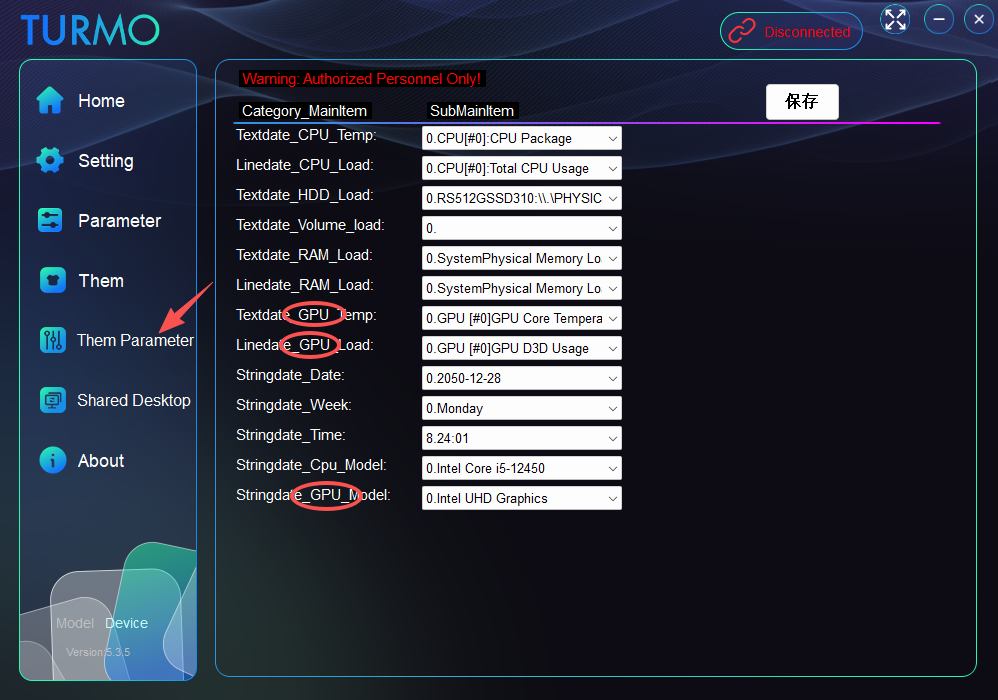
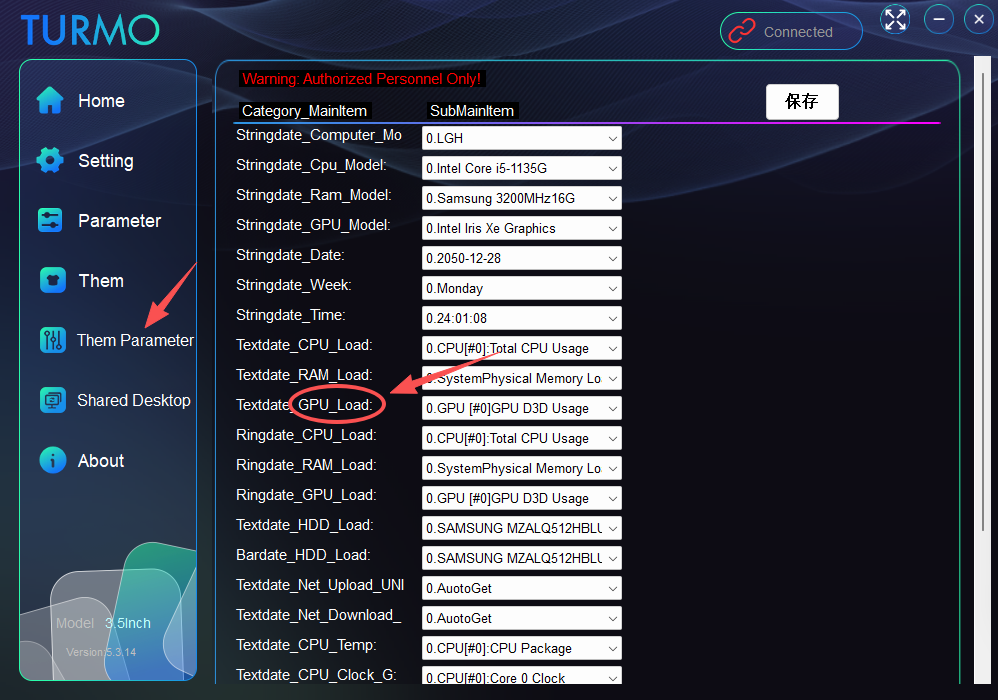
turmo 作者超级版主0 Hello! You can configure GPU parameter command selections here.
turmo 作者超级版主0
turmo 作者超级版主0
turmo 作者超级版主0
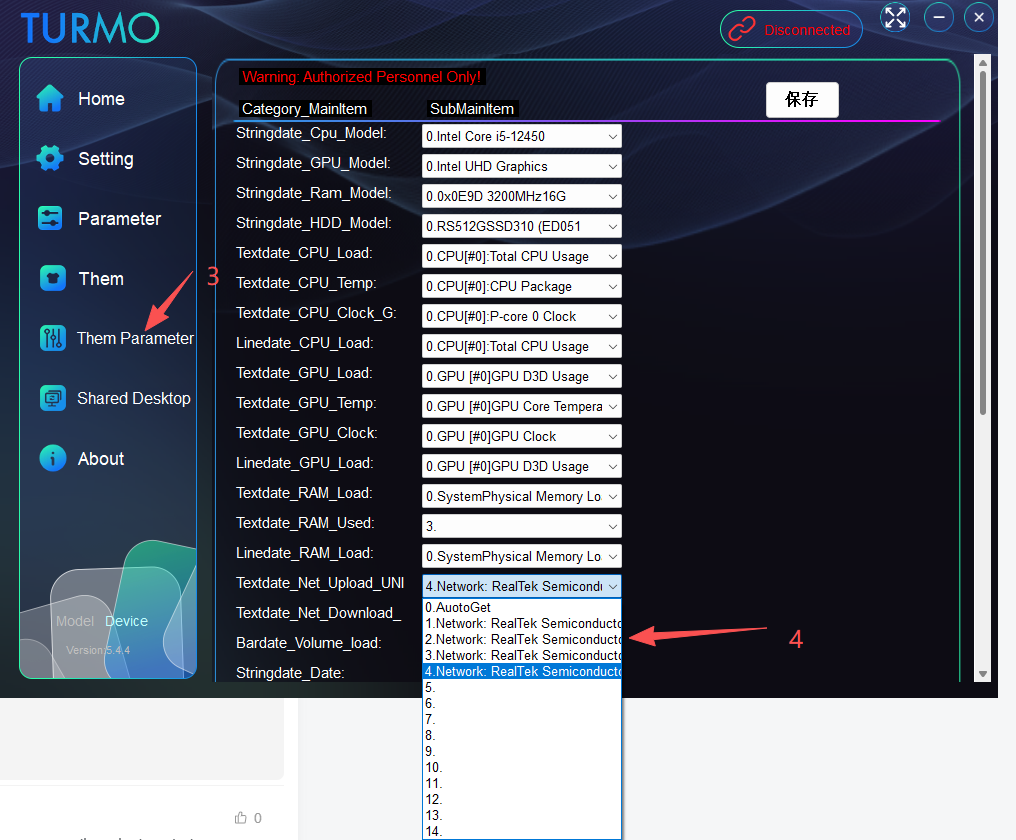
turmo 作者超级版主0 Hello. There are two options in the network settings: The first one uses MB/s as the unit. If your network speed fails to reach 1000 KB/s, it may keep displaying 0. The second option features an auto-switching unit, and you must select the name of your currently active network adapter for this option!
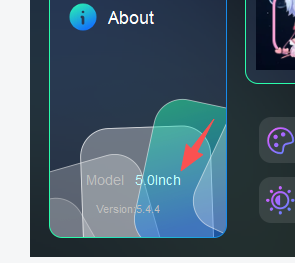
turmo 作者超级版主0 If your model is the 5inch version, you need to download the main program file from here. Thank you. https://turmo.org/?post_type=forum_post&p=299
turmo 作者超级版主0 If your model is the 5inch version, you need to download the main program file from here. Thank you. https://turmo.org/?post_type=forum_post&p=299
turmo 作者超级版主0
turmo 作者超级版主0
turmo 作者超级版主1
turmo 作者超级版主0 Hello! The FPS function now displays the real-time process name, process ID, frame rate value, and frame time. Data will only be shown when a game is running. Thank you.
turmo 作者超级版主0
turmo 作者超级版主0
turmo 作者超级版主0
turmo 作者超级版主0 Hello! Please test with the latest version 5.4.3, minor changes have been made. The FPS feature has been working properly all along!
turmo 作者超级版主1
turmo 作者超级版主0
turmo 作者超级版主0
turmo 作者超级版主0
turmo 作者超级版主0 https://turmo.org/?post_type=forum_post&p=441
turmo 作者超级版主0
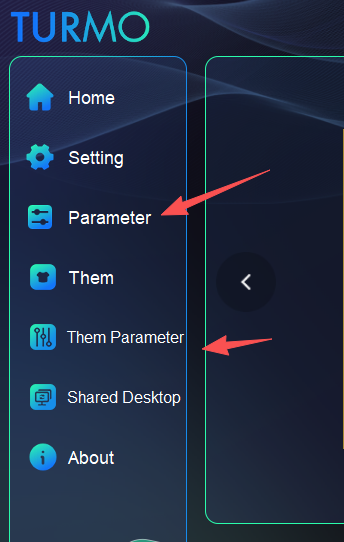
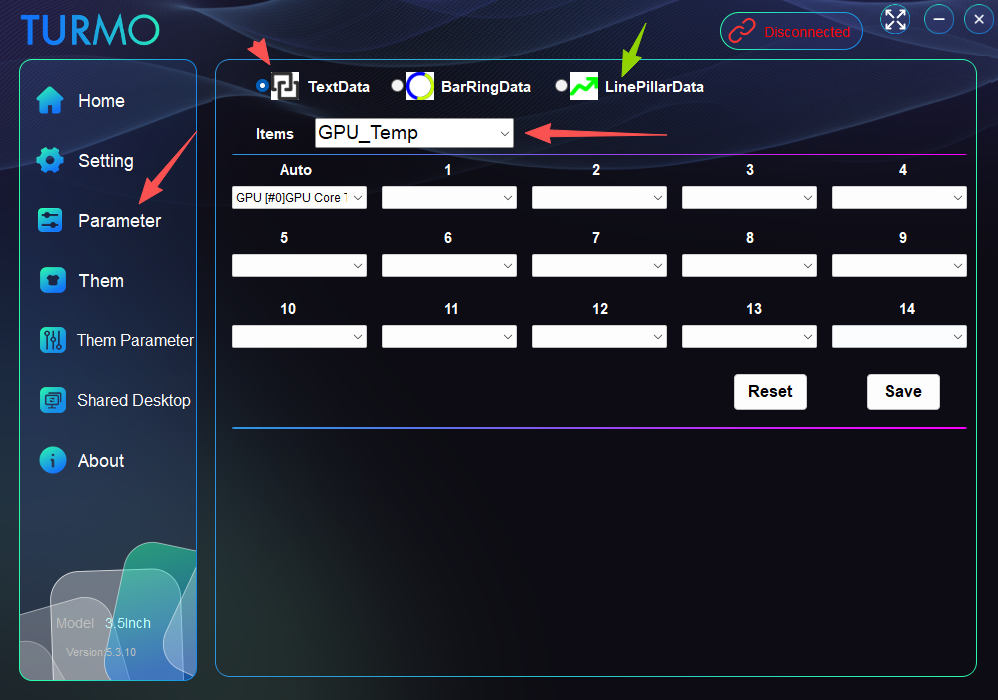
turmo 作者超级版主0 You can click on "theme parameter" to adjust the current theme parameters for GPU load, or use "parameter" to change all basic default settings.
turmo 作者超级版主2
turmo 作者超级版主1
turmo 作者超级版主0
turmo 作者超级版主0 Hello! If you're updating by overwriting files with the latest version, please follow these steps:
1. Close the application in the background.
2. Delete the config folder inside the software's data directory.
3. Restart the application.
turmo 作者超级版主0 Hello! Version 5.3.11 is now available!
turmo 作者超级版主0
turmo 作者超级版主1 Hi there! You can now go to the "parameter" section to modify the 15 required parameters for the "theme parameter" configuration.
turmo 作者超级版主0 Hello! You can try checking here – it should be outputting to the wrong device by default, as there are usually multiple audio output devices on a computer. We'll arrange for the technical team to fix this issue in the follow-up!
turmo 作者超级版主0
turmo 作者超级版主0
turmo 作者超级版主0
turmo 作者超级版主1
turmo 作者超级版主1
turmo 作者超级版主0
turmo 作者超级版主0
turmo 作者超级版主0
turmo 作者超级版主0 If you are directly overwriting the previous files, please delete the config.at file located in the software's date folder. Failing to do so may prevent the software from reading the new configuration correctly. 1.close the application 2.delete data/ config.at 3.restart the application 4.You can configure and select your desired GPU here.
turmo 作者超级版主0
回复100
查看全部最新最热

![表情[xiaojiujie]-TURMO](http://turmo.org/wp-content/themes/zibll/img/smilies/xiaojiujie.gif)
 Hello! You can configure GPU parameter command selections here.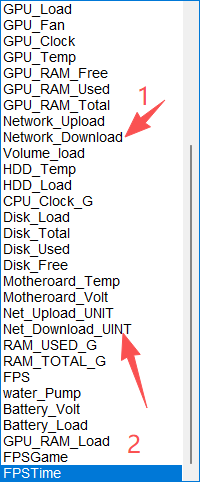

 Hello! The FPS function now displays the real-time process name, process ID, frame rate value, and frame time. Data will only be shown when a game is running. Thank you.
![表情[zhayanjian]-TURMO](http://turmo.org/wp-content/themes/zibll/img/smilies/zhayanjian.gif)

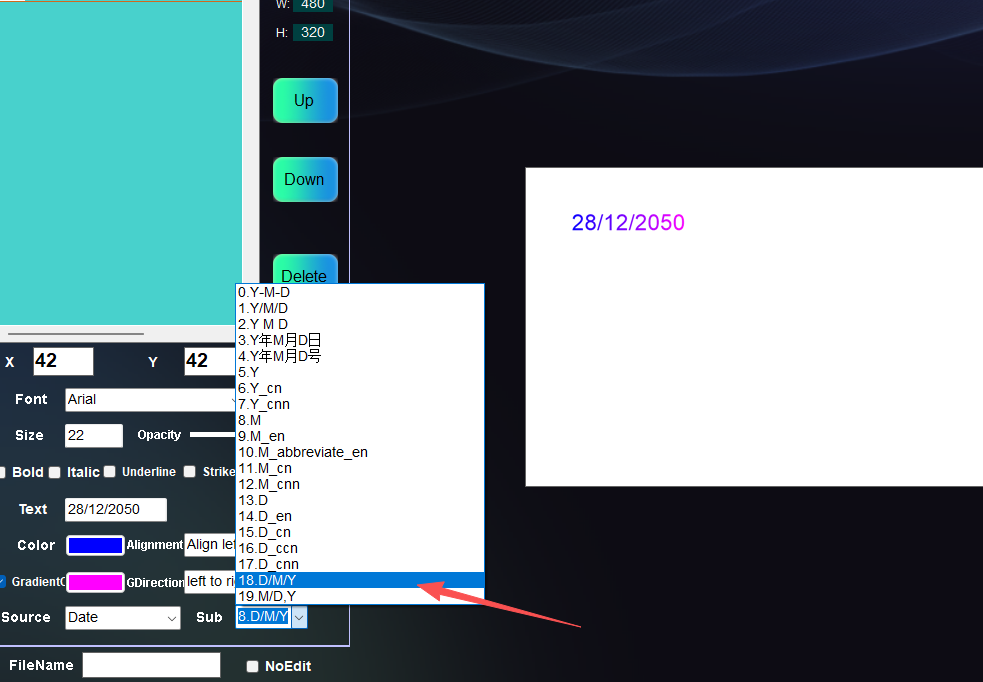 Hello! If you're updating by overwriting files with the latest version, please follow these steps:
1. Close the application in the background.
2. Delete the config folder inside the software's data directory.
3. Restart the application.
Hello! If you're updating by overwriting files with the latest version, please follow these steps:
1. Close the application in the background.
2. Delete the config folder inside the software's data directory.
3. Restart the application.![表情[wunai]-TURMO](http://turmo.org/wp-content/themes/zibll/img/smilies/wunai.gif)
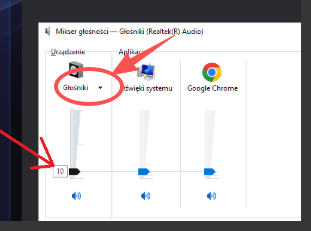 Hello! You can try checking here – it should be outputting to the wrong device by default, as there are usually multiple audio output devices on a computer. We'll arrange for the technical team to fix this issue in the follow-up!