

NyViRiX 
0
NyViRiX 0
Shariken31 0
Smekta 0
turmo 作者超级版主0
turmo 作者超级版主0  Hello! You need to set this resolution to match the one on your right so it can fully cover the screen. For this landscape‑oriented screen, you should select a landscape‑themed preset to enable landscape mode. You’re currently using portrait mode. Thank you!
Smekta 0 Hello, I can only share parts of the main screen on the right. I would like to share parts of an other screen on my Turmo. Thank you for answering. I'm sorry if I don't explain it well 🙂 (Yes, I love screens, and yours is really cool !!)
turmo 作者超级版主0 Hello! Please refer to this image. However, due to limitations of USB hardware speed, the refresh rate is quite slow! You may also adjust the partial sharing position via the data cable yourself. This is only for testing purposes. Thank you!
Smekta 0
JesusLuvsU2 0
turmo 作者超级版主0
rodrigogrise 0
Rock 0 So for me the ram amount shows wrong always, no method to change it, my gpu shows 5070 instead of 5070ti. honestly id prefer that the software identifies our default hardware or link it with occt software or aida software. and please bring out more themes i would really appreciate. thank you for your customer service till now i really appreciate it
turmo 作者超级版主0
Rock 0
turmo 作者超级版主0
Rock 0
ugsAreBad 0
turmo 作者超级版主1
xdominhd 0
turmo 作者超级版主0
xdominhd 0
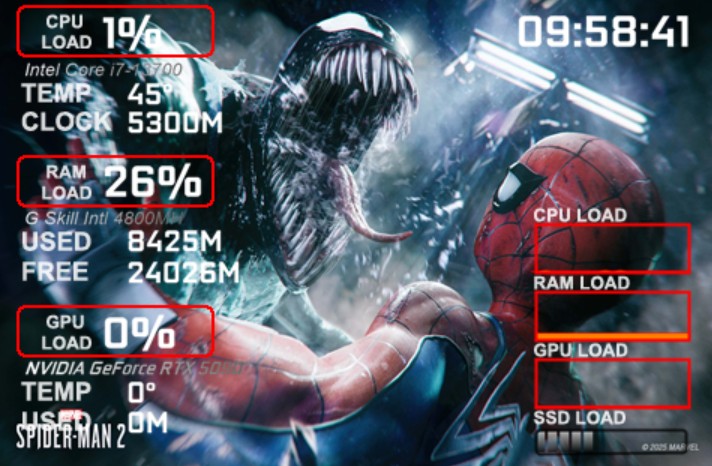
thiartj 0 Update on Below!!. After PC reboot and Sensor Service enabled in Windows the problem weems to be sorted Please check software for RTX Nvidia 50 Series. GPU Load and Temp en Memory Usage is not detected correctly. Please see attached image
turmo 作者超级版主0
MelvinP07 0
turmo 作者超级版主0
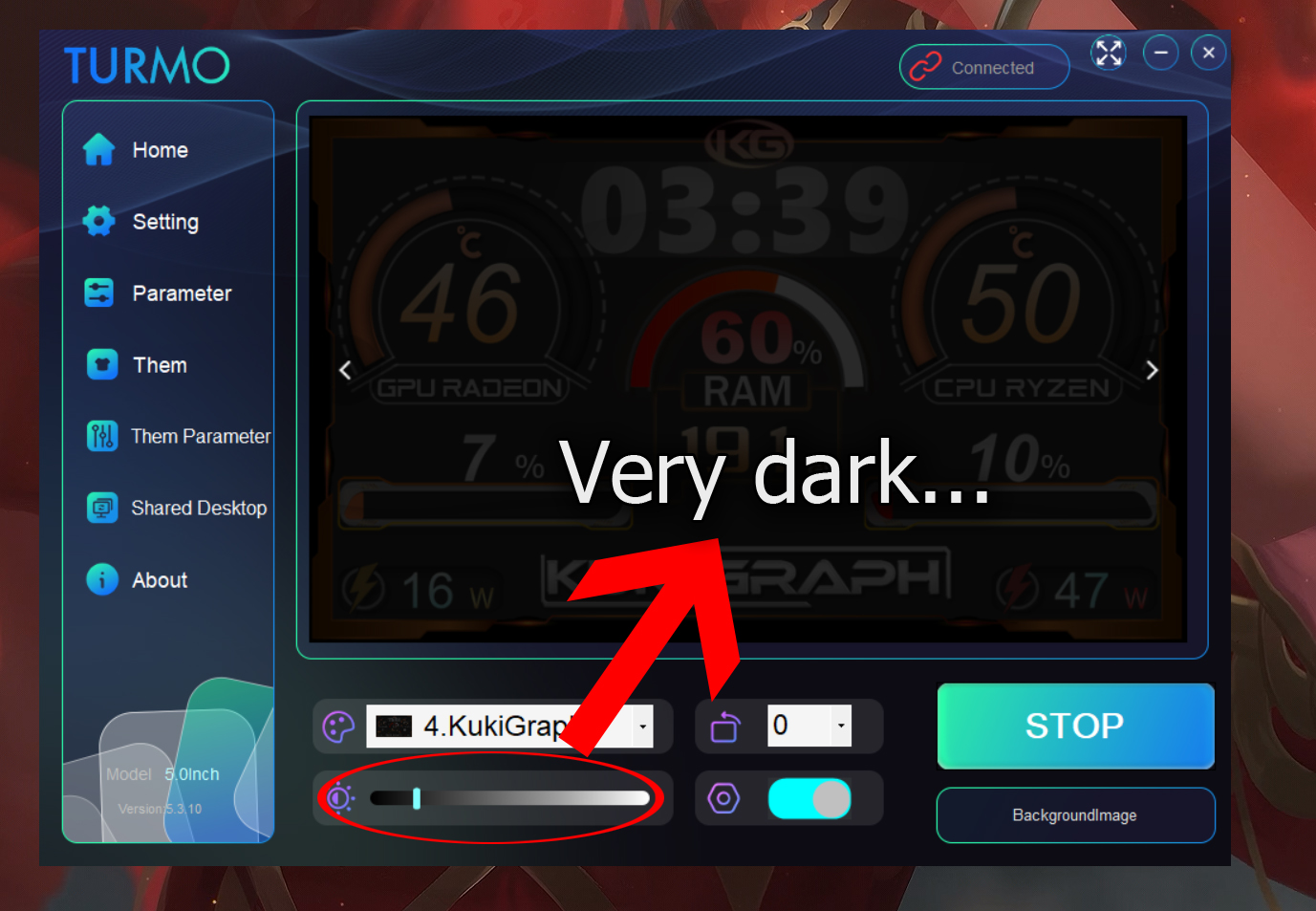
KukiGraph 1 I don't like the brightness bar. I understand that it's to control the brightness of the USB screen, but I don't see much point in the floating version of the panel also darkening. I'd like to have it duplicated on an 8-inch HDMI monitor that I have and on the default 5-inch USB screen, but with the brightness set to half, the other one looks ugly. It's as if it had a black layer or a black filter over it. I hope you can fix this.
turmo 作者超级版主0
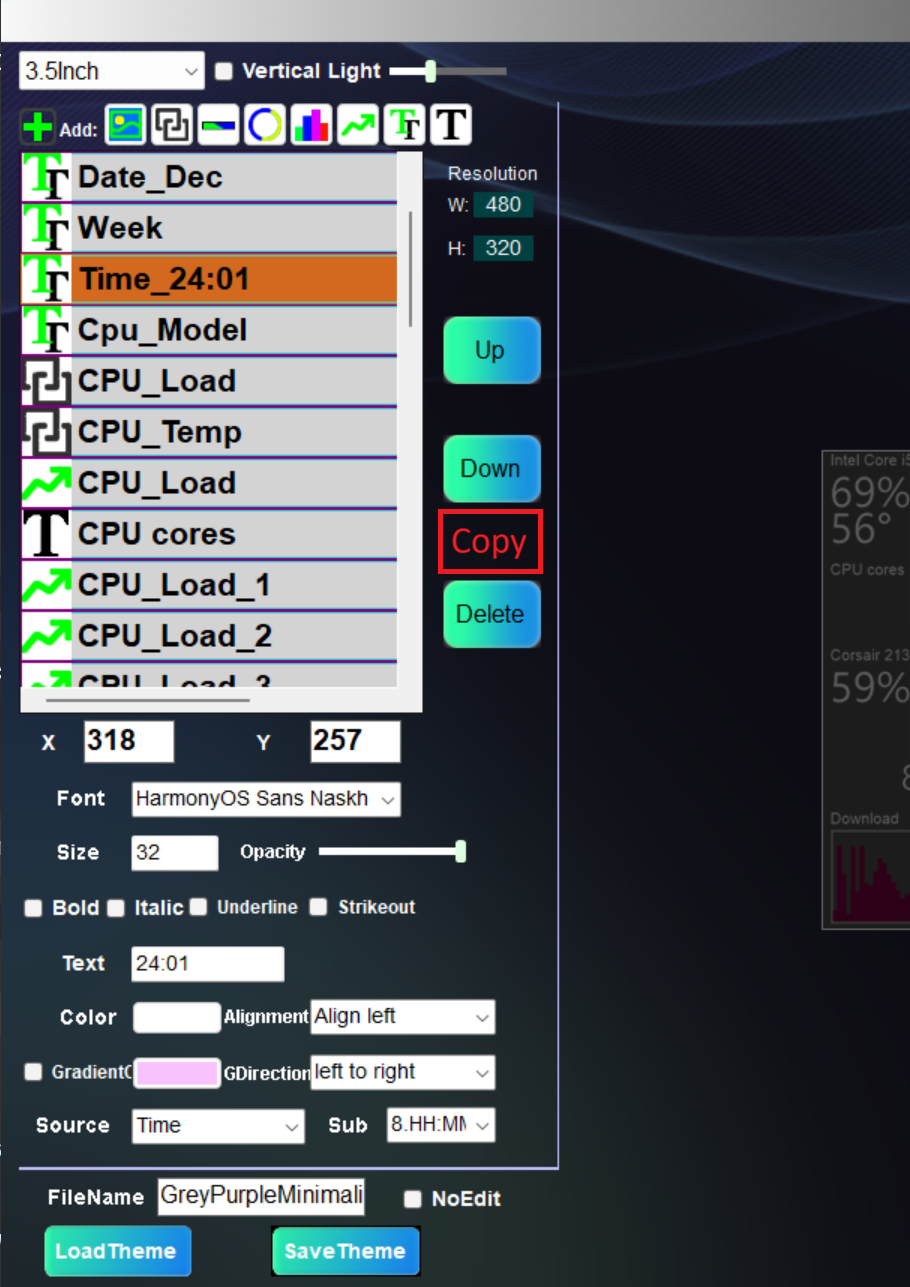
Tier 1 Would be nice to have "Copy" button in Theme Editor. Case: I want to create 10-15 similar elements on the screen.
turmo 作者超级版主0
Shaharul Hossain 0
turmo 作者超级版主0
turmo 作者超级版主0
Daniel Baumgart 0
turmo 作者超级版主0
Tier 0
turmo 作者超级版主0
turmo 作者超级版主0
Daniel Baumgart 0
foo5764 0
回答40
只看作者最新最热


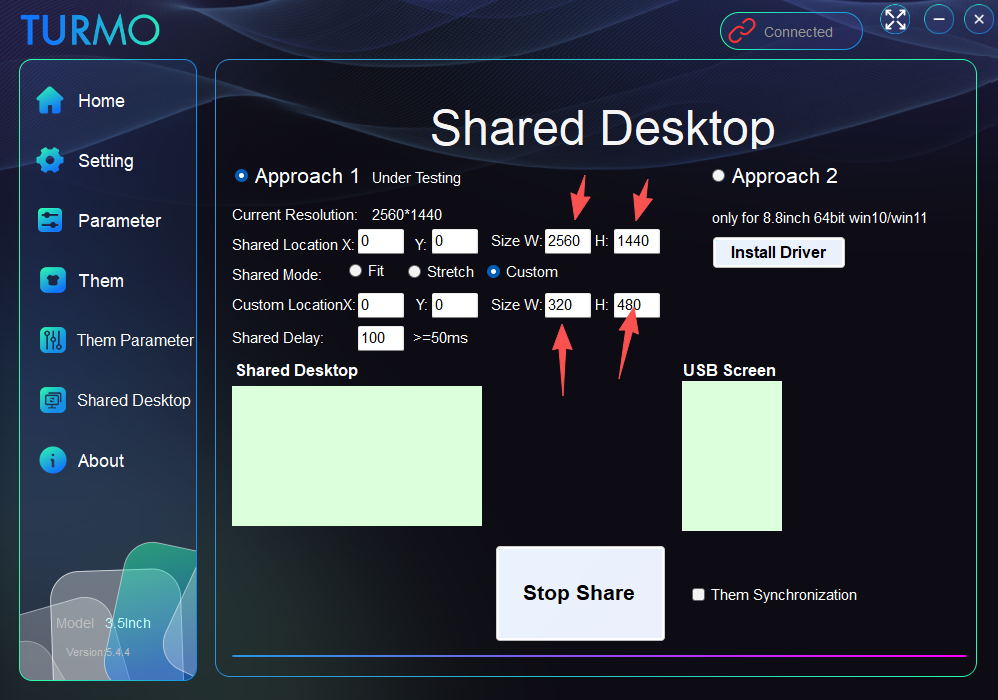 Hello! You need to set this resolution to match the one on your right so it can fully cover the screen. For this landscape‑oriented screen, you should select a landscape‑themed preset to enable landscape mode. You’re currently using portrait mode. Thank you!
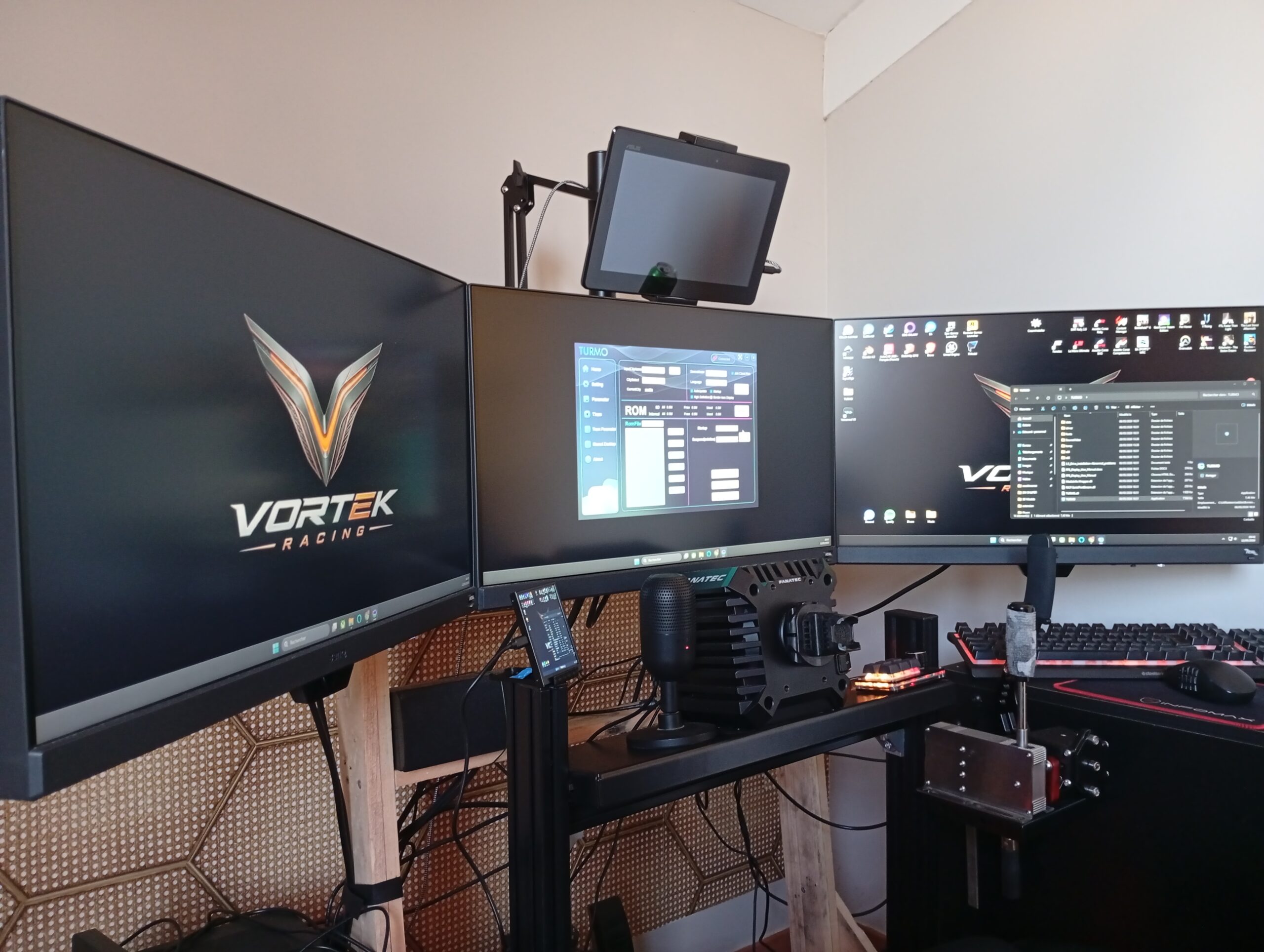 Hello, I can only share parts of the main screen on the right. I would like to share parts of an other screen on my Turmo. Thank you for answering. I'm sorry if I don't explain it well 🙂 (Yes, I love screens, and yours is really cool !!)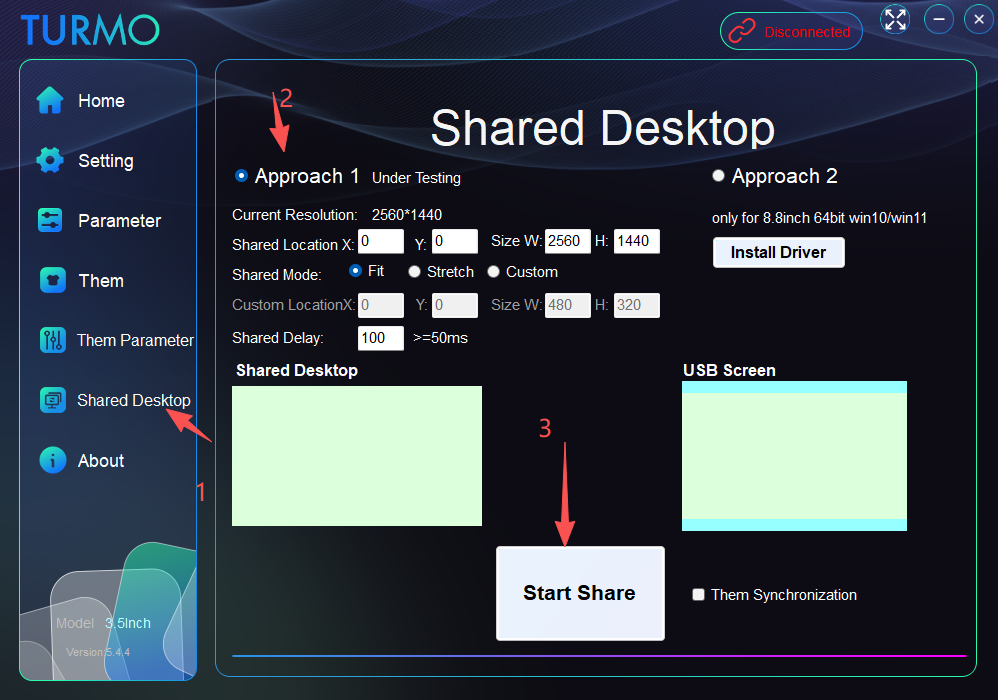
![表情[qiang]-TURMO](http://turmo.org/wp-content/themes/zibll/img/smilies/qiang.gif)