

PredaRobert 
0 Hello, I have a problem: my screen isn't connecting to the display. Can you help me?
turmo 作者超级版主0 https://turmo.org/?post_type=forum_post&p=441 Hello! Please check this link! Also note that before plugging in the USB, make sure all non-Turmo software is fully closed so the USB won't be detected by other programs.
alper 0
turmo 作者超级版主0 hello, still under R&D
kjcgooner 0
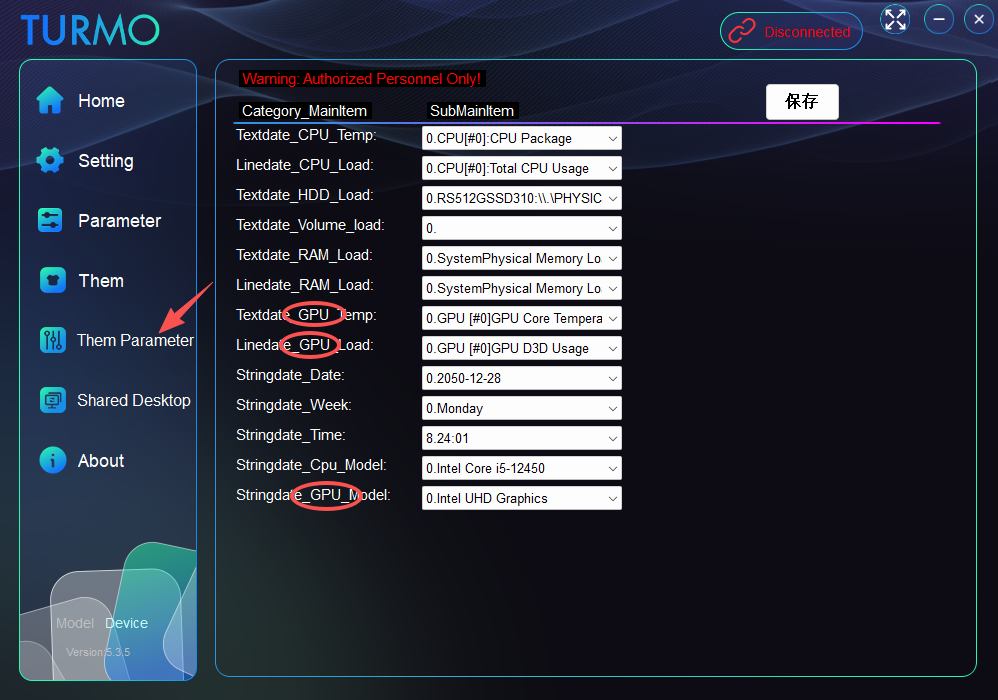
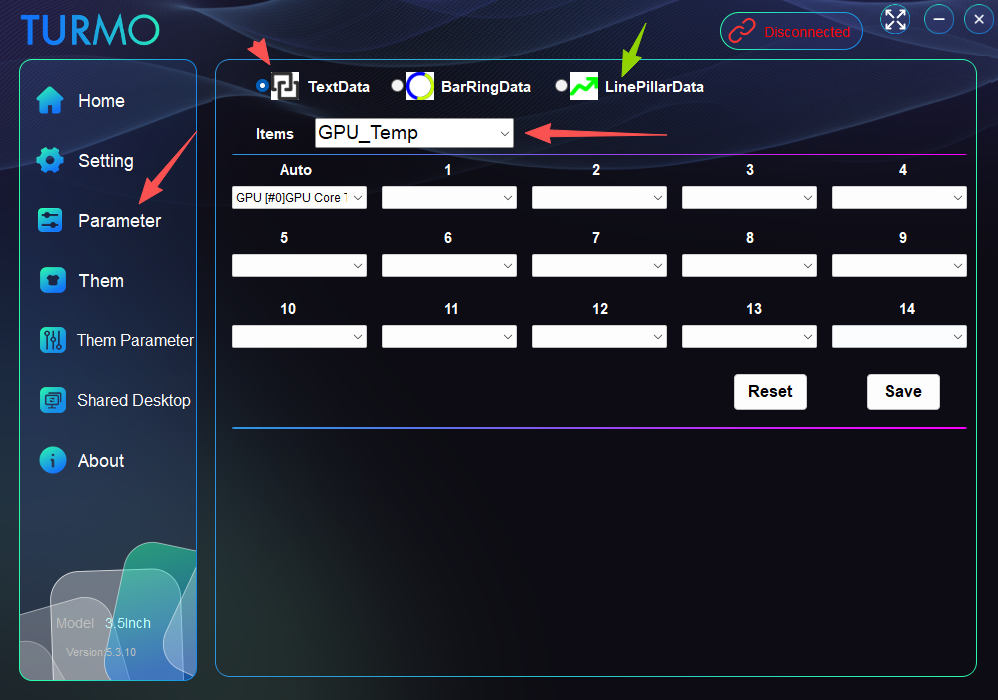
turmo 作者超级版主0 Hello! You can configure GPU parameter command selections here.
Issam_Isaid 1 Hi, Why alot of themes are not editable???
v1ru5 0
turmo 作者超级版主0
turmo 作者超级版主0
v1ru5 0
turmo 作者超级版主0
v1ru5 0 So I wouldn't say white screen, the display lights go on but grey.
zafzaf 0
turmo 作者超级版主0 If your model is the 5inch version, you need to download the main program file from here. Thank you. https://turmo.org/?post_type=forum_post&p=299
Patyek 0
turmo 作者超级版主0 Hello. There are two options in the network settings: The first one uses MB/s as the unit. If your network speed fails to reach 1000 KB/s, it may keep displaying 0. The second option features an auto-switching unit, and you must select the name of your currently active network adapter for this option!
Patyek 0
BRUNO070898 0
turmo 作者超级版主0 If your model is the 5inch version, you need to download the main program file from here. Thank you. https://turmo.org/?post_type=forum_post&p=299
NyViRiX 0
Dgnn 0
turmo 作者超级版主0
JesusLuvsU2 0
turmo 作者超级版主0
turmo 作者超级版主1
JesusLuvsU2 0
xdominhd 0
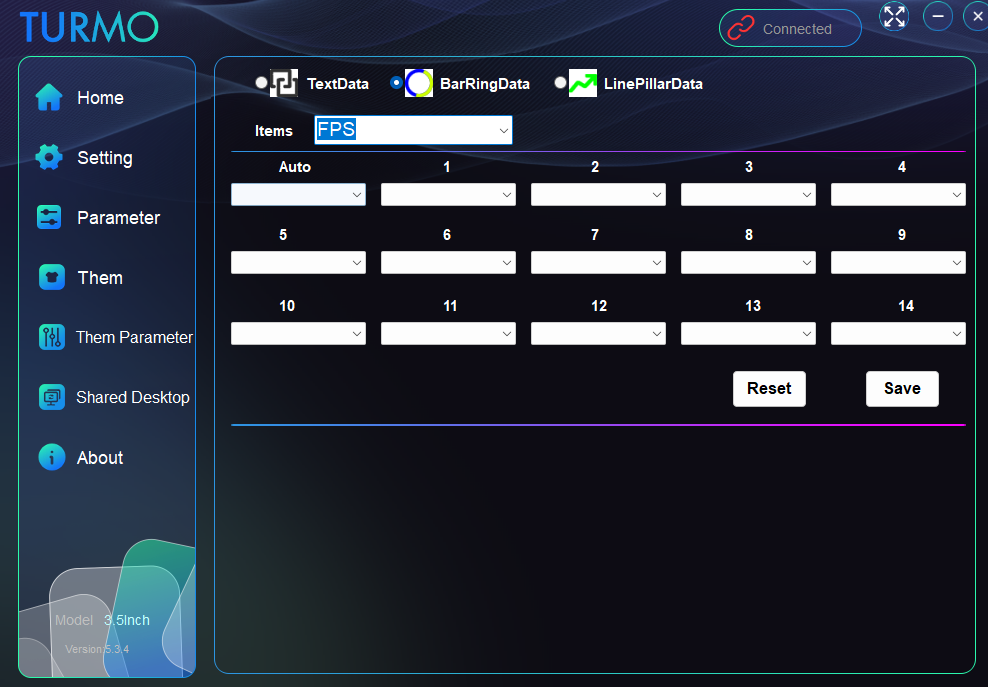
turmo 作者超级版主0 Hello! The FPS function now displays the real-time process name, process ID, frame rate value, and frame time. Data will only be shown when a game is running. Thank you.
turmo 作者超级版主0
turmo 作者超级版主0
Turmox 0
Ogima 0
turmo 作者超级版主0
Ogima 0
xdominhd 1
turmo 作者超级版主0 Hello! Please test with the latest version 5.4.3, minor changes have been made. The FPS feature has been working properly all along!
xdominhd 0
Chicko 1 Anyone else have or had this problem ?!?
Cypher441 0 cant install software. As per attachment been sitting here for 2hrs wont move. Tried both versions and neither will go past this point.
turmo 作者超级版主0
Cypher441 0
johnyboy 0
turmo 作者超级版主1
turmo 作者超级版主0
Link Koriri 0
turmo 作者超级版主0 https://turmo.org/?post_type=forum_post&p=441
foo5764 0
turmo 作者超级版主0
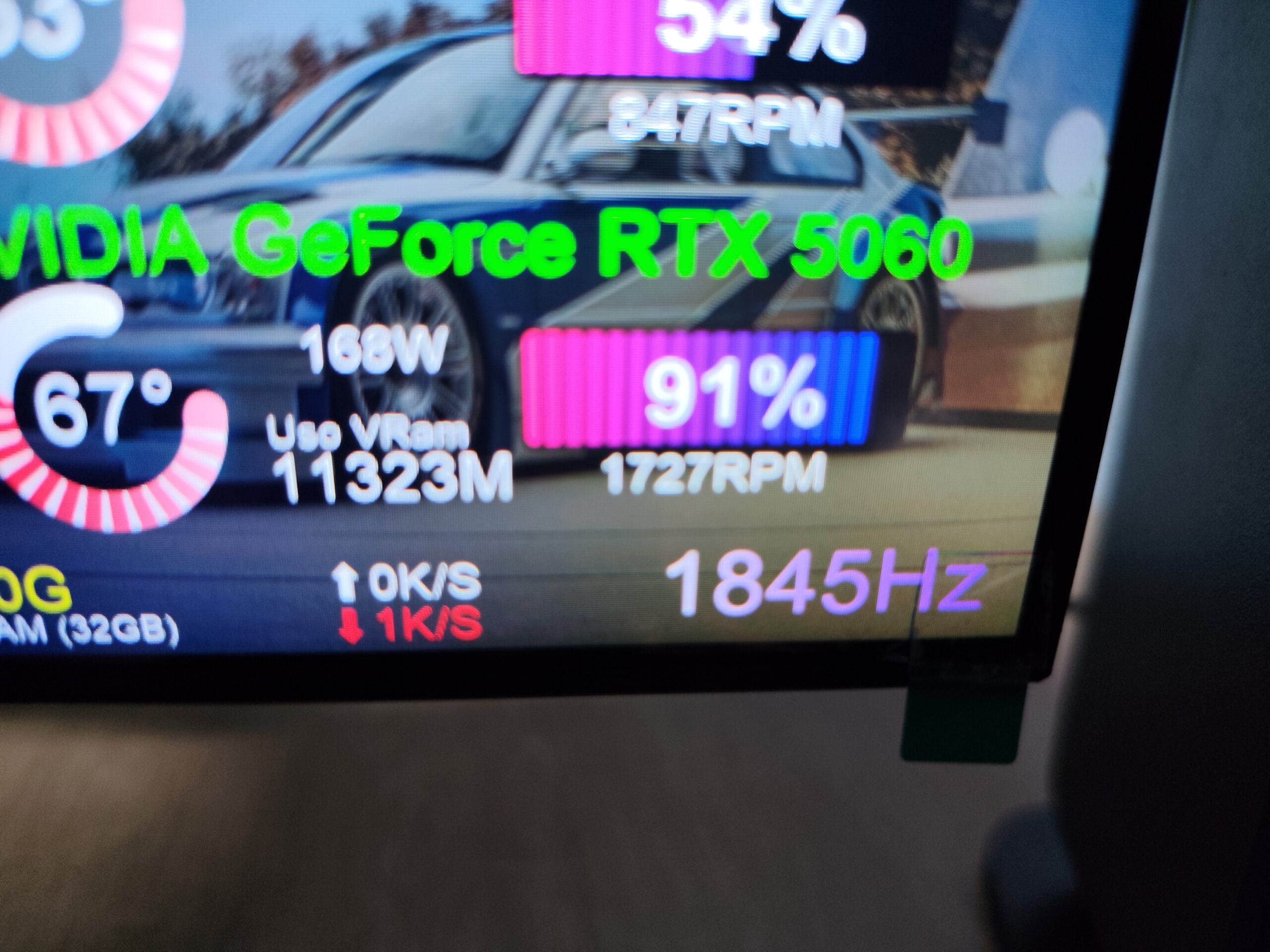
MNevaen 0 RAM shows only 1 stick and wrong speed.I have 6000MHz 2x16G Kingston Fury Beast Also It doesnt show GPU RAM USAGE. Radeon RX 7900 XT
Montu 0
turmo 作者超级版主0 You can click on "theme parameter" to adjust the current theme parameters for GPU load, or use "parameter" to change all basic default settings.
rwmaios80 0
turmo 作者超级版主0
Angrysausagedog 0
Baltazar2009PL 0
turmo 作者超级版主0
Baltazar2009PL 0 Witam. Nie naprawiliście problemu z datą: Sam program w porównaniu do poprzedniego jest beznadziejny. Tekst się nie mieści w polach, nie da się nic przesunąć, źle rozplanowana przestrzeń.
turmo 作者超级版主0 Hello! If you're updating by overwriting files with the latest version, please follow these steps:
1. Close the application in the background.
2. Delete the config folder inside the software's data directory.
3. Restart the application.
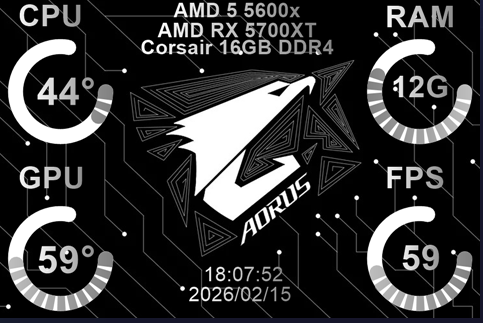
CERIM 0 Hi! For me FPS counter doesnt work at all. I tried also installing RivaTuner from MSI but still there is no way to connect any parameter with FPS. Is this implemented yet?
turmo 作者超级版主2
OkamiGT 0 El contador de FPS sirve bien, pero si en un juego se activa el Frame generation el contador se vuelve loco y sube a mas de 1000 fps. Espero te sirva esta información y tenga alguna solución.
CERIM 0 Hi! Nice, I have just tested it out and it works perfectly! Thanks for quick development. I will probably user your products in future 🙂 Keep up the good work.
turmo 作者超级版主1
Dartaroth 0
turmo 作者超级版主0 Hello! Version 5.3.11 is now available!
johnyboy 0
turmo 作者超级版主0
johnyboy 0
johnyboy 1
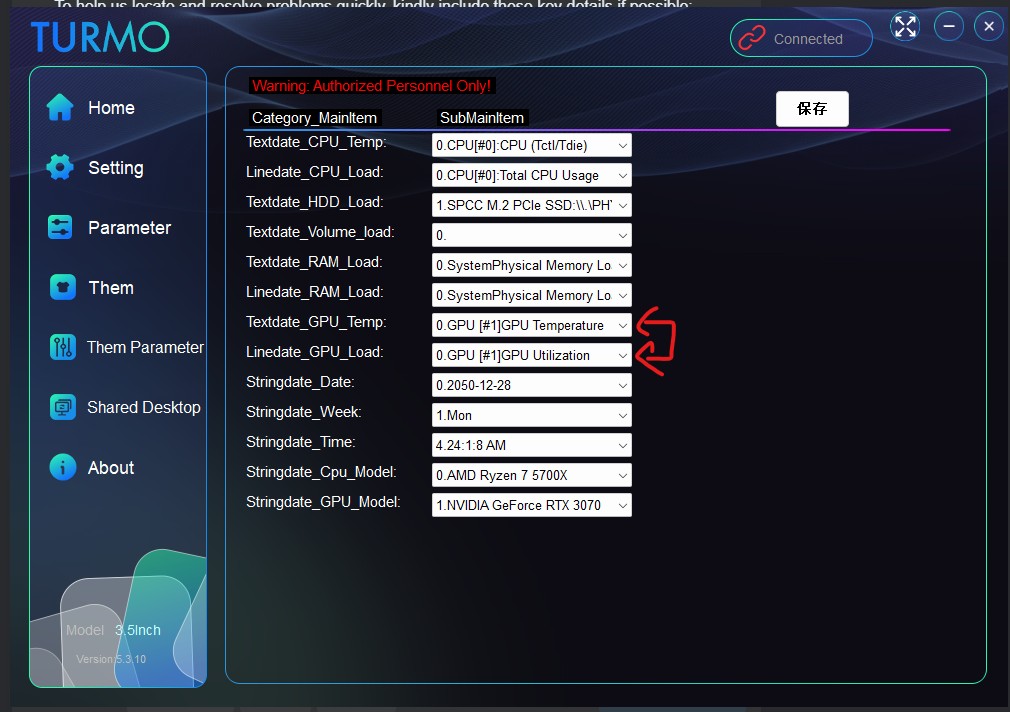
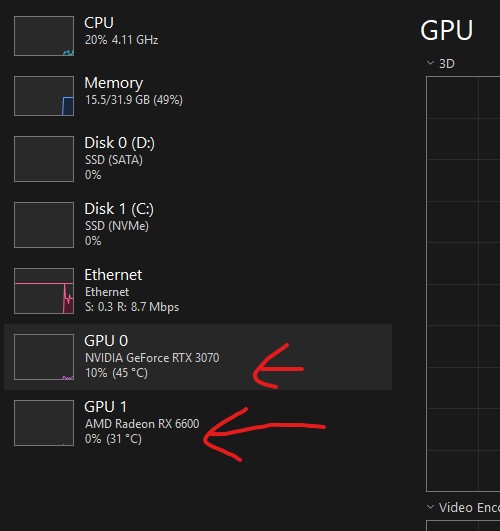
Rhylock 0 Hello. TURMO Turning 3.5 inch IPS Panel. PC03501B (White). Dual GPU, the GPU utilization does not work for Dual GPU (2 GPUS), it only detects one and not the other. GPU label (name detects both GPUs thou). RX6600 is detected but my 3070 is not detected under GPU usage.
turmo 作者超级版主1 Hi there! You can now go to the "parameter" section to modify the 15 required parameters for the "theme parameter" configuration.
Rhylock 0
xdominhd 0
turmo 作者超级版主0
xdominhd 0
xdominhd 0
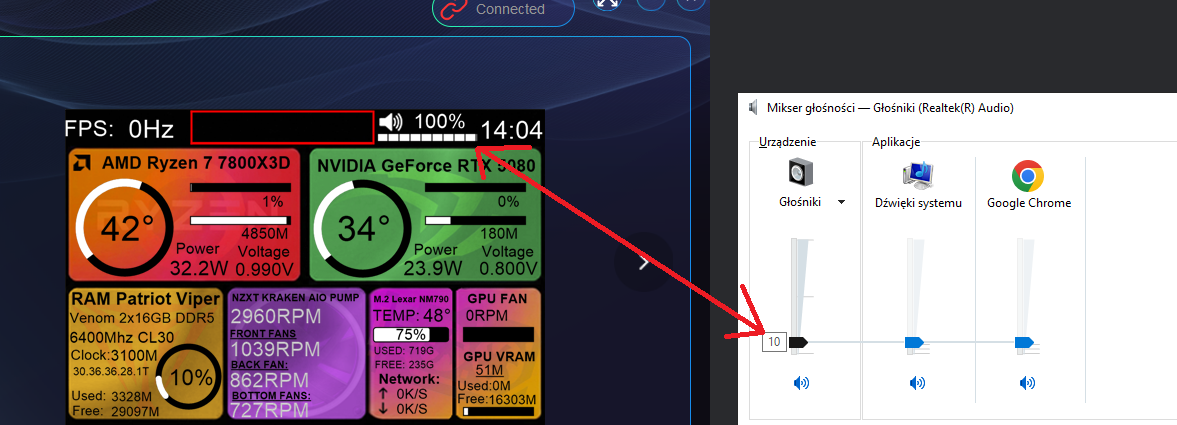
turmo 作者超级版主0 Hello! You can try checking here – it should be outputting to the wrong device by default, as there are usually multiple audio output devices on a computer. We'll arrange for the technical team to fix this issue in the follow-up!
turmo 作者超级版主0
xdominhd 0 I check audio mixer. only one devices on my pc
xdominhd 1
turmo 作者超级版主0
turmo 作者超级版主0
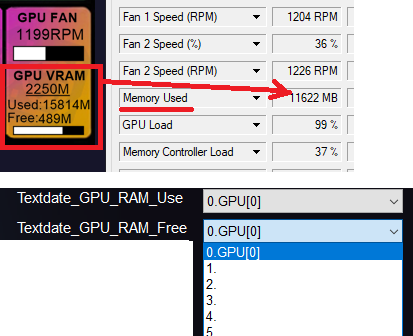
xdominhd 0 Deleted config.at but problem still appears look at image. My gpu is 16gb
kipo 0
turmo 作者超级版主1
kipo 0
turmo 作者超级版主1
Juan Ramos 0
turmo 作者超级版主0
Juan Ramos 0
Angrysausagedog 0
turmo 作者超级版主0
Troyota 0
Angrysausagedog 0
ChrisO 1
turmo 作者超级版主0 If you are directly overwriting the previous files, please delete the config.at file located in the software's date folder. Failing to do so may prevent the software from reading the new configuration correctly. 1.close the application 2.delete data/ config.at 3.restart the application 4.You can configure and select your desired GPU here.
Foncday 0
turmo 作者超级版主0
Foncday 0
回复100
只看作者最新最热


![表情[xiaojiujie]-TURMO](http://turmo.org/wp-content/themes/zibll/img/smilies/xiaojiujie.gif)
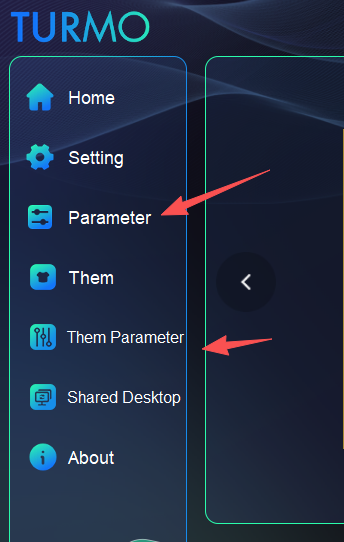 Hello! You can configure GPU parameter command selections here.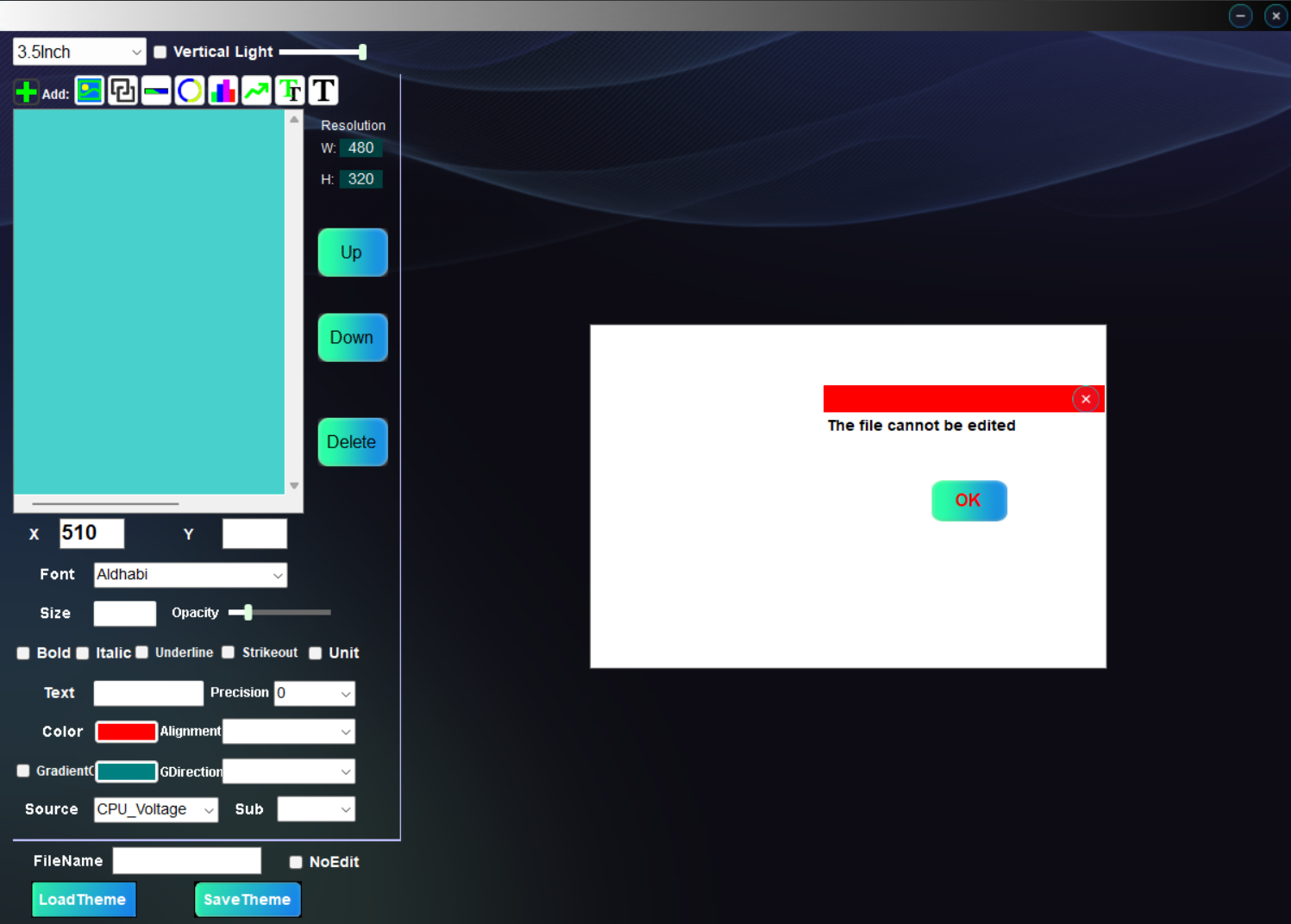
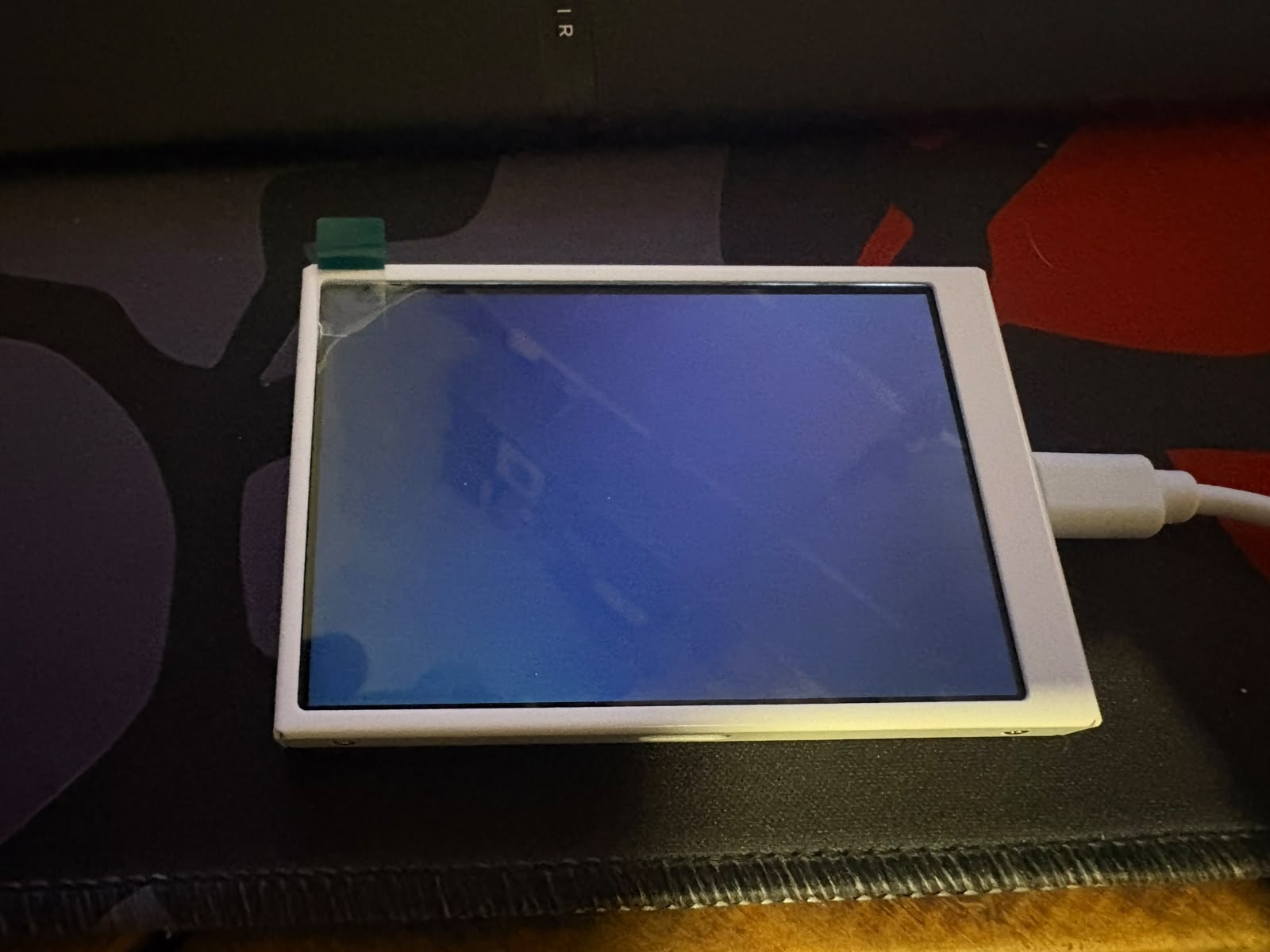
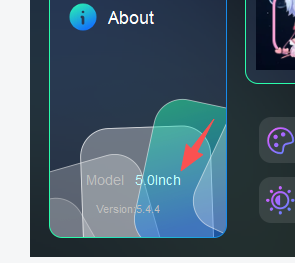
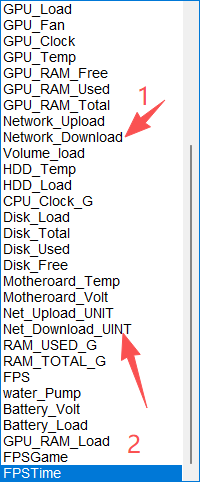
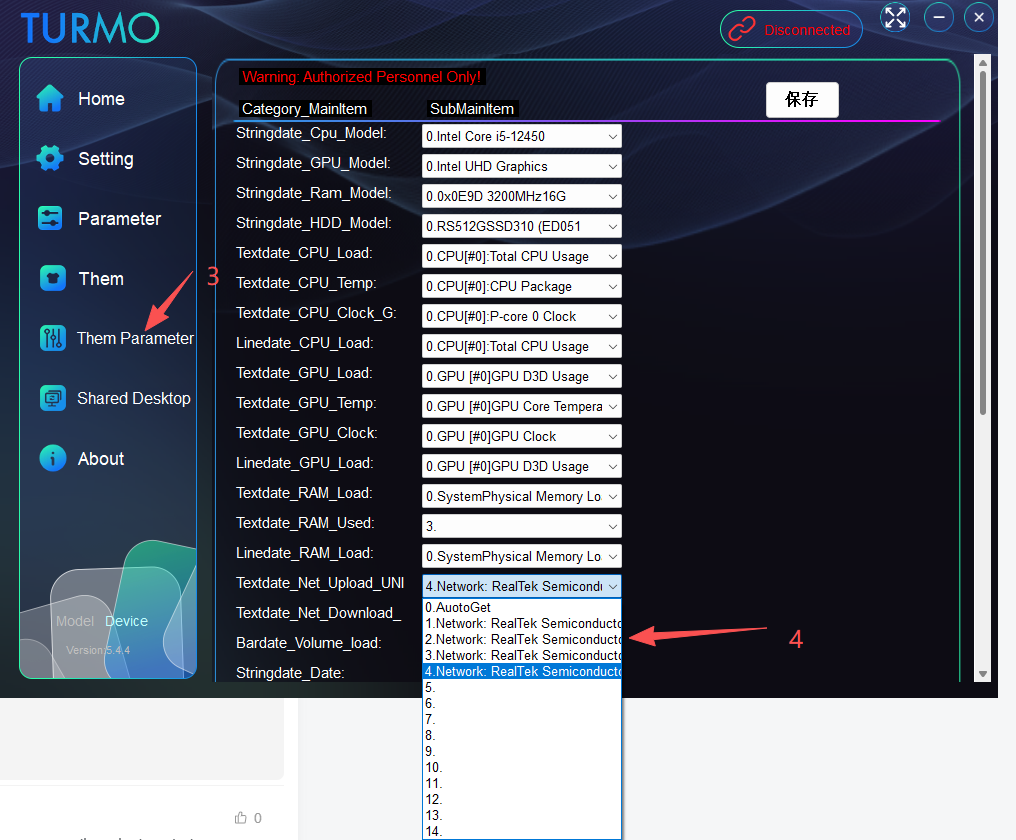


 Hello! The FPS function now displays the real-time process name, process ID, frame rate value, and frame time. Data will only be shown when a game is running. Thank you.
![表情[zhayanjian]-TURMO](http://turmo.org/wp-content/themes/zibll/img/smilies/zhayanjian.gif)

![表情[zhemo]-TURMO](http://turmo.org/wp-content/themes/zibll/img/smilies/zhemo.gif)
![表情[fanu]-TURMO](http://turmo.org/wp-content/themes/zibll/img/smilies/fanu.gif)


 Also It doesnt show GPU RAM USAGE. Radeon RX 7900 XT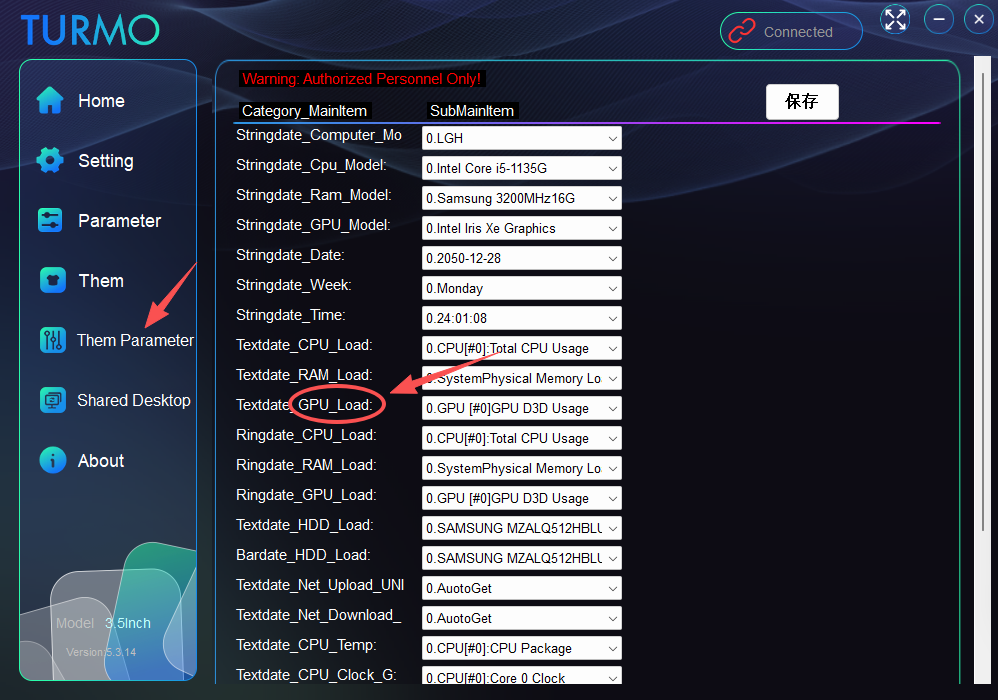
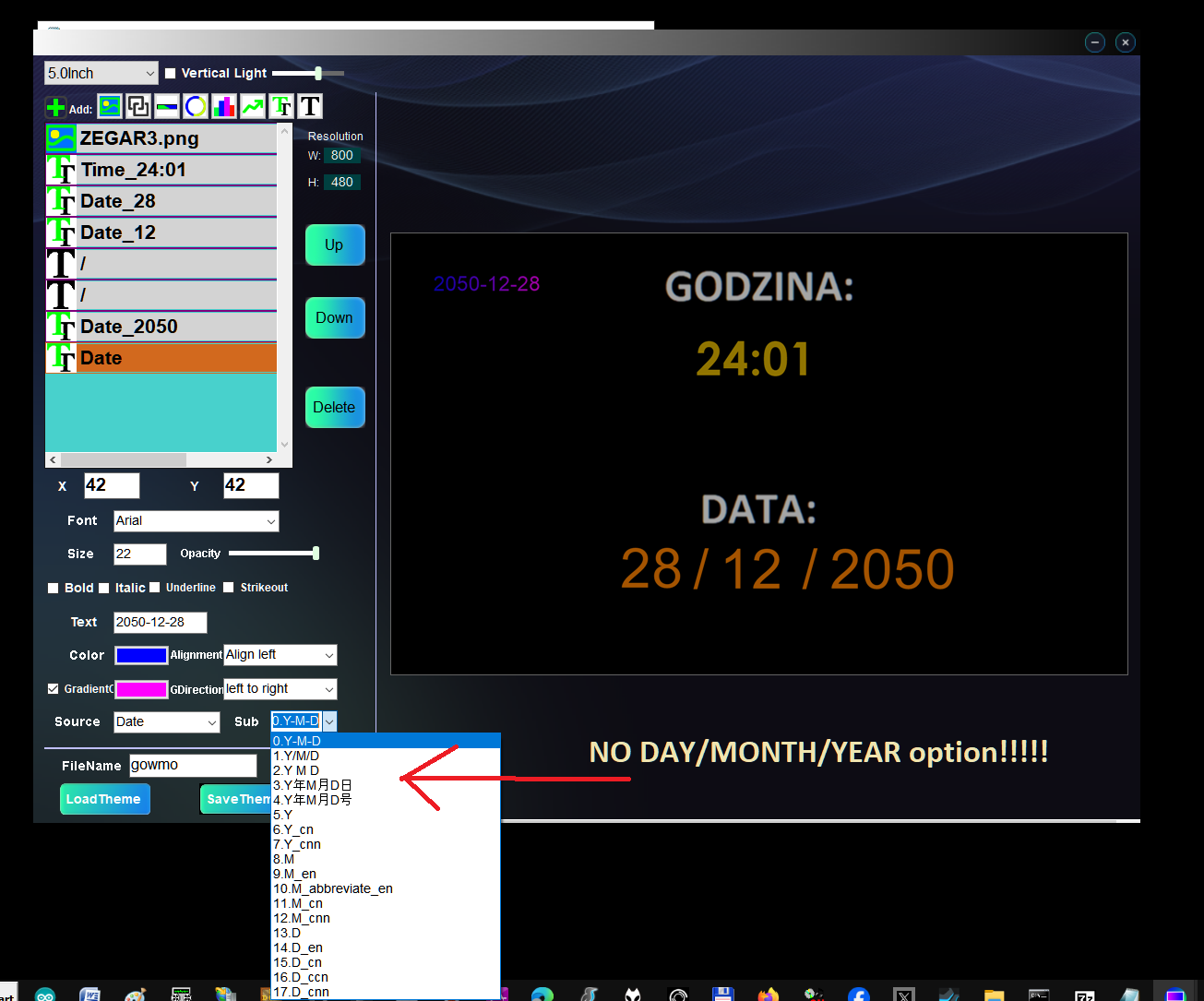 Sam program w porównaniu do poprzedniego jest beznadziejny. Tekst się nie mieści w polach, nie da się nic przesunąć, źle rozplanowana przestrzeń.
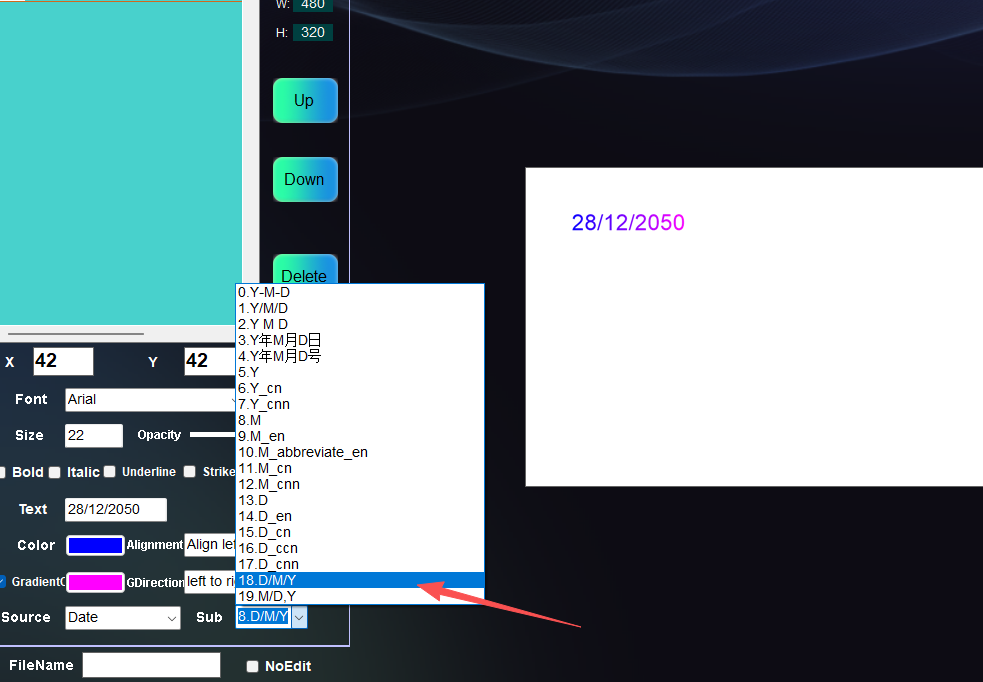 Hello! If you're updating by overwriting files with the latest version, please follow these steps:
1. Close the application in the background.
2. Delete the config folder inside the software's data directory.
3. Restart the application.
Hello! If you're updating by overwriting files with the latest version, please follow these steps:
1. Close the application in the background.
2. Delete the config folder inside the software's data directory.
3. Restart the application.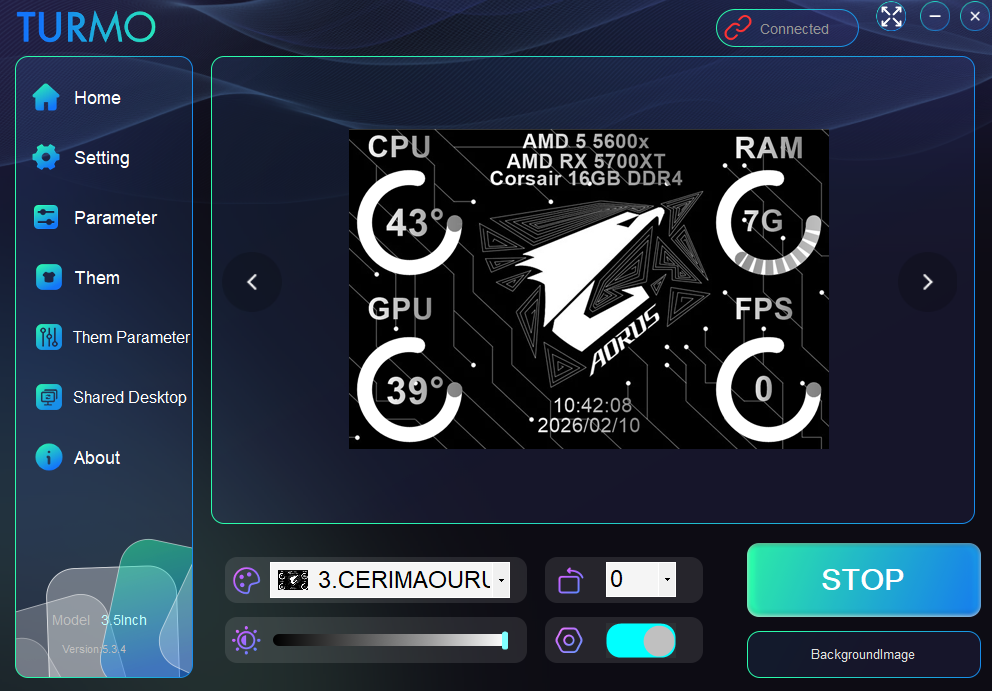
 Is this implemented yet?
![表情[wunai]-TURMO](http://turmo.org/wp-content/themes/zibll/img/smilies/wunai.gif)
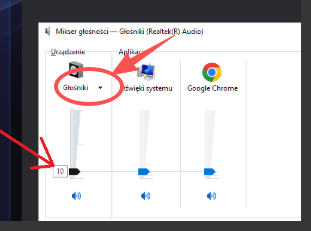 Hello! You can try checking here – it should be outputting to the wrong device by default, as there are usually multiple audio output devices on a computer. We'll arrange for the technical team to fix this issue in the follow-up!