Greetings, I had the program “UsbPCMonitor.exe” but from one day to the next it stopped working, so I downloaded TURMO, but I can’t use the predefined templates.

- 3.5Inch
- Discussion
- Content

Zale87 
0 I have model 3.5inch. there are no themes for that model. where can i found them. on home tab when i click on theme dropdown menu is blank and preview in middle of app window is also blank. then i found slash theme here on forum, pasted it into date folder and it showed on home screen and in dropdown menu. any help for other themes?6 months ago

Montu 
0 Actually, I dont want to modify a theme, I just want to use one. How can I apply a ready-made theme, please?10 months ago

turmo
超级版主1 https://turmo.org/?post_type=forum_post&p=299 visit this link
10 months ago@Montu

turmo
超级版主0 Hello! The 5-inch themes have been updated. When you restart the application now, the software will update some themes to the software folder. The themes will be automatically loaded shortly after. If they don't update, please reply to me, and we will email the files to you! Thank you! Best regards, TURMO10 months ago@Montu

turmo
超级版主0 Hello, Thanks for reaching out with your question. I'm familiar with the general concept of these tools, but to help you better, I'll need a bit more context about TURMO specifically. Could you please describe a little more what happens when you try to use the "predefined templates"? · Where exactly do you see these templates in the program? (e.g., under a "Theme" menu, a "**" tab, etc.) · What is the specific message or behavior you see when it "doesn't work"? (e.g., is the option greyed out, does it give an error message, or does nothing happen?) The more details you can provide, the better I might be able to assist or point you in the right direction. Best regards, TURMO10 months ago

Montu 
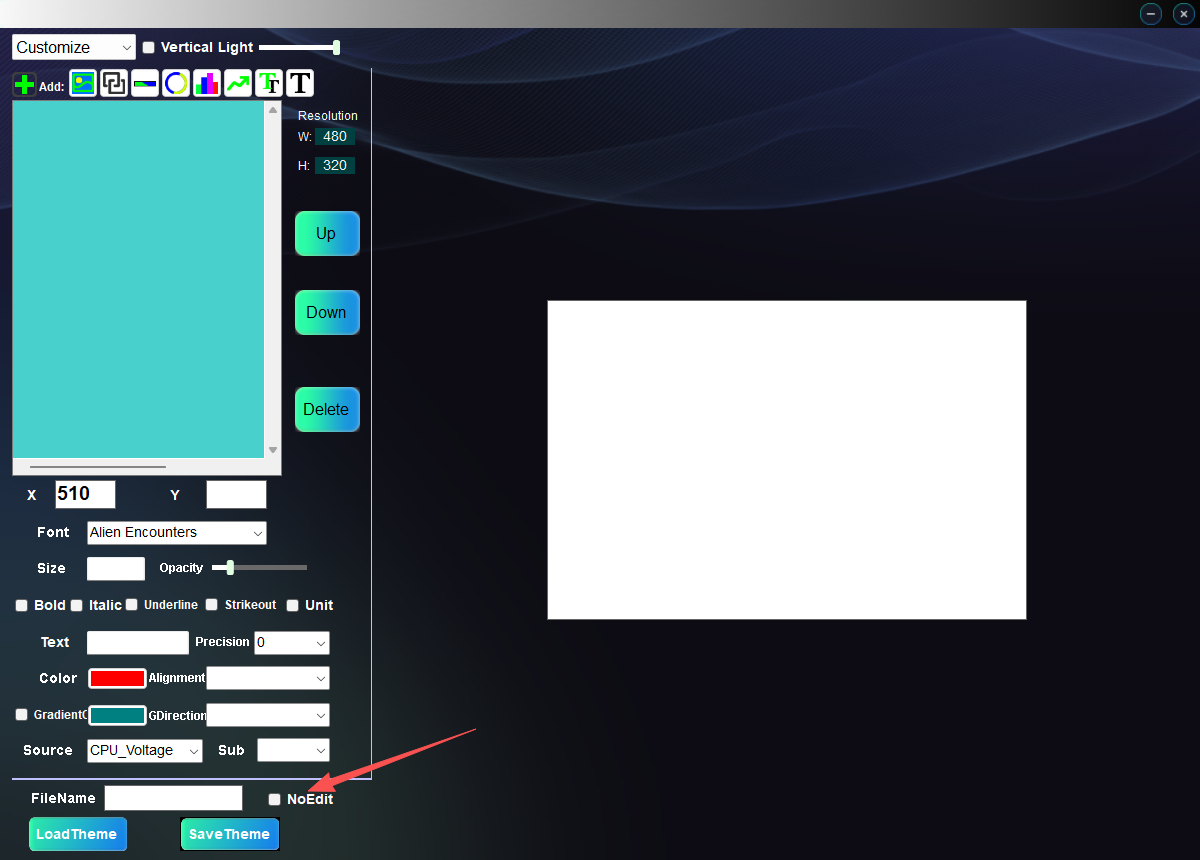
0 The same problem here, Theme menu, LoadTheme button, choose 5v_TOTOMO.TURMO (or any other), the Turmo software shows message "The file cannot be edited".10 months ago@turmo

turmo
超级版主1 Hello! The built-in themes of the software come with a "No_edit" button, which prevents users from making secondary edits. You can use your creativity to design personalized themes. Additionally, all hardware parameter settings can be adjusted through the "Parameter" interface. The default parameters in the themes are set to the first option, "Auto." For theme setup, you can refer to this link: https://turmo.org/?p=222
10 months ago@Montu
回复7
Author onlyLatestHot


超级版主![Emoji[woshou]-TURMO](http://turmo.org/wp-content/themes/zibll/img/smilies/woshou.gif)