- 3.5Inch
- Discussion
- Content

turmo
AuthorSection Creator0
Hello! You need to set this resolution to match the one on your right so it can fully cover the screen. For this landscape‑oriented screen, you should select a landscape‑themed preset to enable landscape mode. You’re currently using portrait mode. Thank you!2 months ago@turmo

turmo
AuthorSection Creator0 Hello! I don't quite understand what you mean. Could you share some pictures for reference? Do you currently have two large monitors connected to your computer, and need to use this software on the other one? You can just drag the window over there directly.2 months ago@Smekta

turmo
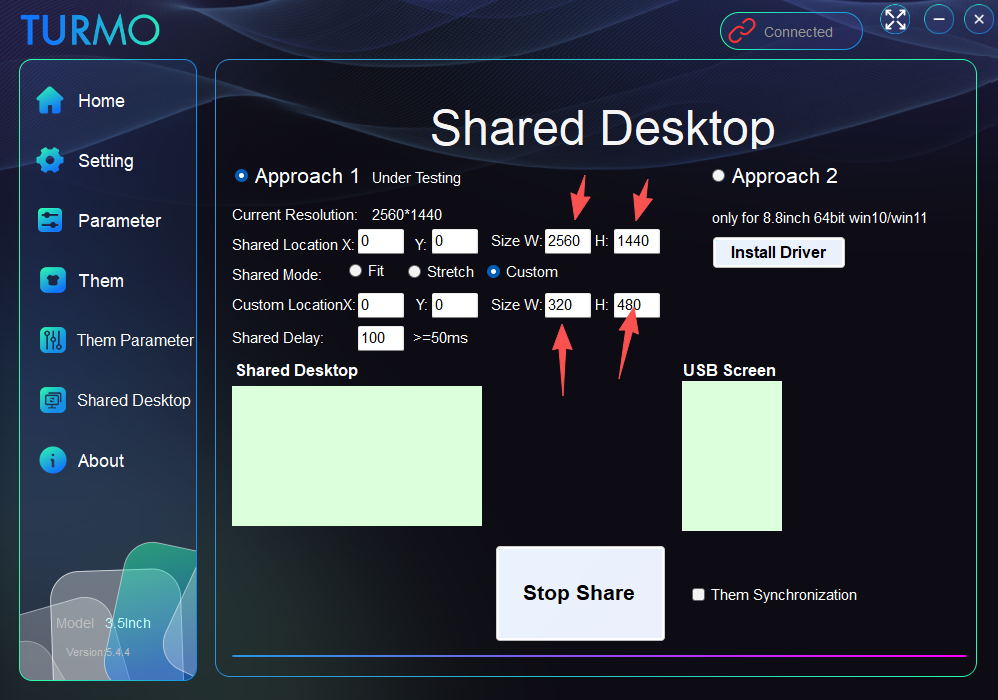
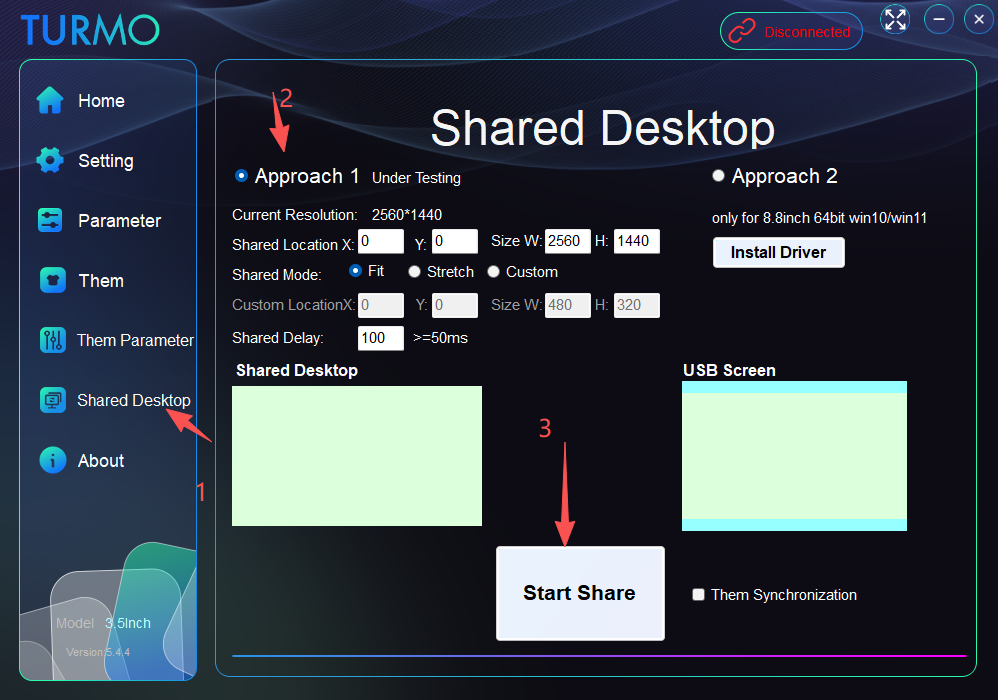
AuthorSection Creator0 Hello! Please refer to this image. However, due to limitations of USB hardware speed, the refresh rate is quite slow! You may also adjust the partial sharing position via the data cable yourself. This is only for testing purposes. Thank you!
2 months ago@Smekta

turmo
AuthorSection Creator0 Hello! Please refer to this link https://turmo.org/?p=222 for theme production! If the downloaded theme needs decompression, please unzip it first to get the file with the suffix .turmo, then place it in the date subfolder under the software directory.After copying the files, you must restart the application. Thank you!2 months ago@JesusLuvsU2

turmo
AuthorSection Creator0 Regarding the issue where the displayed memory size does not match the actual model, have you tested version 5.4.3? We will continue to look into it. Thank you!4 months ago@Rock

turmo
AuthorSection Creator0 Hello! When you mentioned the RAM capacity display issue, were you referring to the capacity shown under the memory model? By the way, the graphics card model can now be displayed in full!4 months ago@Rock

turmo
AuthorSection Creator1 Hello! Before rotating 180 degrees, please stop the theme first. After modifying it to 180 degrees, run it again, and the theme will be saved. Thank you.4 months ago@ugsAreBad

turmo
AuthorSection Creator0 Hello! Does the memory module come with a temperature sensor?4 months ago@xdominhd

turmo
AuthorSection Creator0 Hello! The relevant parameters have been set in the them parameter section, and they are likely applied to the iGPU parameters. Thank you.4 months ago@thiartj

turmo
AuthorSection Creator0 Sure! Your proposal has been accepted and will be adopted.4 months ago@MelvinP07

turmo
AuthorSection Creator0 Hello! The FPS function based on RTSS has been added. Please download the update; the tutorial is included in the package. Thank you!5 months ago@Tier

turmo
AuthorSection Creator0 Hello! The FPS function based on RTSS has been added. Please download the update; the tutorial is included in the package. Thank you!5 months ago@Daniel Baumgart

turmo
AuthorSection Creator0 Hello! I’m working on fixing this FPS feature at the moment. Could I just confirm with you—when you talk about FPS, do you mean the GPU frame rate, the monitor refresh rate, or FPS in another context?6 months ago@Daniel Baumgart

turmo
AuthorSection Creator0 That's a great idea! Thank you!5 months ago@Tier

turmo
AuthorSection Creator0 Hi! You can stop the operation first, turn the brightness to the maximum, then start running again—the settings will be saved automatically. Some HD monitors require this brightness adjustment function!5 months ago@KukiGraph

turmo
AuthorSection Creator0 Hello! Please try the latest version 5.3.10. Thank you!5 months ago@Shaharul Hossain

turmo
AuthorSection Creator0 Hello, please delete the config.at file in the date folder under the software directory, then delete all files in the fonts folder. Restart the application and this issue should be resolved.5 months ago@Shaharul Hossain
Answer40
View allLatestHot


Hello! You need to set this resolution to match the one on your right so it can fully cover the screen. For this landscape‑oriented screen, you should select a landscape‑themed preset to enable landscape mode. You’re currently using portrait mode. Thank you!